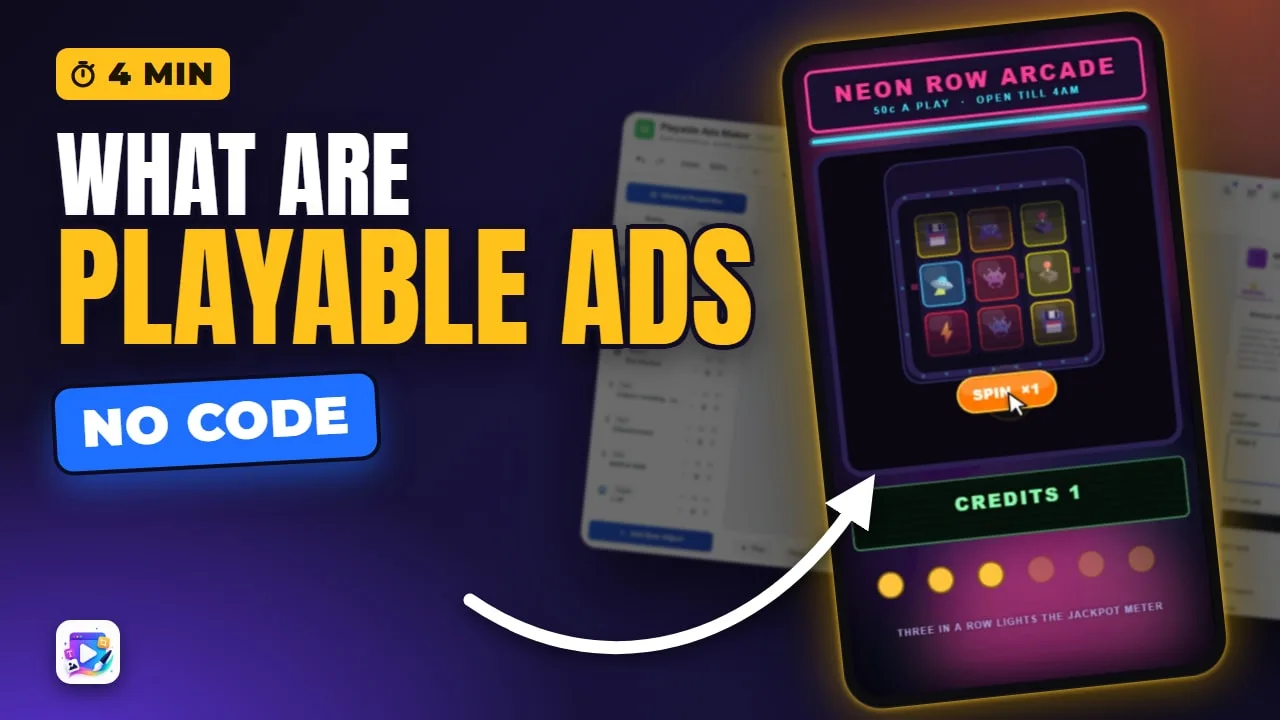
In this video
- What a playable ad is, in Google’s, Unity’s and Meta’s own words: interaction before the download
- Why advertisers use them — and exactly who that evidence covers (Liftoff 2025 Creative Index: 8× for top-spending game advertisers, 16× for other game advertisers)
- The four shapes: a mini-game, a product you open, a non-game choice, and interactive video
- Every playable has the same four parts: the hook, one short thing to do, the end card, the exit
- The exit is per network: MRAID for Unity and AppLovin, ExitApi for Google, its own function for Meta
- The package: a single HTML file under 5 MB for Unity and AppLovin, a 5 MB ZIP of up to 512 files for Google, 2 MB for Meta’s HTML
- Make one without code: play a template, Remix it, retype the text, press Play, and export for 13 ad networks
About this video
A playable ad is an interactive ad: instead of watching a video, the viewer plays a few seconds of the real thing and then meets an end card with one button to the store. Google describes it as app interaction before downloading the app, Unity as a quick interactive demo of your game, and Meta as a short preview before people choose to download — the same idea, three vendors. Inside, every playable is the same four parts: something that invites the first touch, one short thing to do, the end card, and the exit, which is the only part that differs by network. Unity and AppLovin open the store through MRAID, Google through its own ExitApi, Meta through its own function, and each network sizes the file differently. Playable Ads Maker builds the whole thing in your browser, with no code, and writes each network’s file the way that network asks.
Exports for Google, Meta, TikTok, IronSource, Mintegral, Liftoff, Moloco, AppLovin, Unity, Pangle, Vungle, Chartboost, InMobi — a ready-to-upload file for each network.
Play every template from this video →Google — About HTML5/Playable ads for App campaigns →Unity — Playable ad specifications →Meta — Playable Ad →
Transcript
Captions in 18 languages on YouTube
This is an ad. Watch what happens when I touch it.
One tap, and the ad plays. Nothing downloaded, no new page — the whole thing is running inside the ad.
When the round ends, the last screen arrives: the offer, and one button to the store.
Read the full transcriptShow less
That is a playable ad. You play it first, and install second.
Every major network describes it the same way. Google says it lets people interact with your app before downloading it. Unity calls it a quick interactive demo of your game. Meta calls it a short preview, before anyone chooses to install.
They also convert. In Liftoff's 2025 Mobile Ad Creative Index, playables turned impressions into installs 8× better than other formats for top-spending game advertisers, and 16× better for everyone else in games.
That is games, measured by one ad platform. Take it as a reason to test playables, not as a promise.
Playables come in four shapes.
A mini-game: one slice of the real thing, cut down to a few seconds.
A product you get your hands on — tap the tape, and the box opens.
Something that is not a game at all — a choice, a price, a quote. Travel, retail, banking, insurance.
And interactive video, where the film stops, asks you something, and plays on with your answer.
Whatever the middle is, it ends the same way: an end card, asking for the install.
So every playable has the same four parts. Something that invites the first touch. One short thing to do. The end card. And the exit.
The exit is the part you do not write yourself. Unity and AppLovin open the store through MRAID. Google has its own ExitApi. Meta has its own function. Get that one line wrong, and the ad plays perfectly and sends nobody anywhere.
And it all ships as one file. Unity and AppLovin take a single HTML file under 5 MB. Google takes a ZIP, also 5 MB, with at most 512 files inside. Meta holds the HTML itself to 2 MB.
Every network also agrees on a few rules. No sound until somebody touches the ad — Google and AppLovin both spell that one out.
It has to work portrait and landscape, and it cannot call out to the internet: everything it needs is embedded in the file.
That is the fiddly part of a playable, and it is the part this tool does for you: one project, exported for 13 networks, each file written the way that network asks.
Making one starts with a template. All 109 of them are live on their own pages, so you play one before you pick it.
Remix opens it in the editor as your own project.
Click any text and type your own words.
Everything about that object is on the right. Where it sits, how big it is, what it says — and portrait and landscape each keep their own numbers.
Four tabs. General is the words and the look — colour, size, weight, font, alignment. Animate is movement. FX is filters. Events is what happens when somebody taps it.
Press Play, and you are watching exactly what a viewer will get.
One project can also speak 17 languages, so the same ad ships to every market you sell in.
Then Export: tick the networks you are running on, and each one gets its own ready-to-upload file.
That is a playable ad — play first, install second. Start free at playableadsmaker.com, and I will see you in the next video!