Tap play to run the real export
You're #248 – Queue
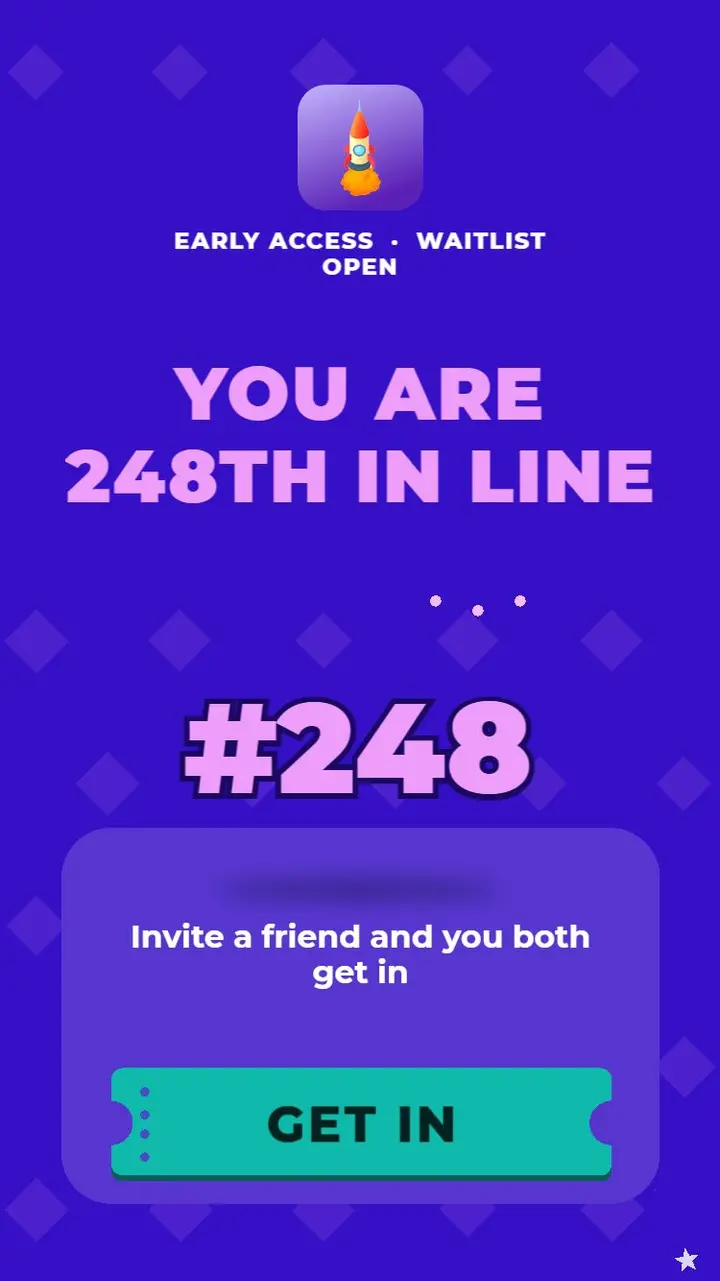
The viewer sees their place in line, then the way past it: invite a friend and both get in, with one Get In button. Use it for launches and early-access sign-ups.
- Best for
- Waitlists, beta access, launches and reservations
- Gesture
- Tap
- First 3 seconds
- #248 huge on a glass card under EARLY ACCESS - WAITLIST OPEN.
- 2D / 3D
- 2D
- Orientations
- Portrait and landscape
- Languages
- English + 17 more, built in
Your place in line, then the way past it: #248 huge, the Get In button straight under it, the invite line below. Queue-jump pattern for launches, beta access, drops and reservations.
This is the real build. The frame runs the actual web preview export, the same HTML5 you would upload to a network. Play it through to the end card and tap the CTA. Only the store redirect is turned off.
Opens in the editor with this template loaded. Swap in your art, copy and store link. Export it on the free plan. No card needed.
- Type
- Interactive end card
- Export
- 12 ad networks
- Format
- HTML5, single file or ZIP, per network
- Plan
- Free to edit & export
Exports to
- Unity Ads
- AppLovin MAX
- Google Ads / AdMob
- Meta (Facebook & Instagram)
- TikTok Ads
- Mintegral
- Vungle (Liftoff Monetize)
- Chartboost
- Moloco
- InMobi
- Liftoff (Accelerate)
- TikTok Ad Network (formerly Pangle)
New to this format? How the end card maker works · Check a build against network specs


